
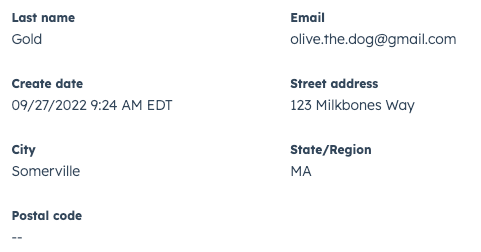
CrmPropertyList component renders a list of properties along with their values. You can use this component to surface important property data from either the currently displaying record or another specified record. You can edit these property values inline and will automatically save when leaving the field or pressing Enter.
Props
| Prop | Type | Description |
|---|---|---|
direction | 'column' (default) | 'row' | The layout direction of the table. |
objectId | String | The ID of the CRM record to display property data from. |
objectTypeId | String | The numeric ID of the type of associated object to display (e.g., 0-1 for contacts). See complete list of object IDs. |
properties | Array | The properties to display, up to 24. By default, will display property data from the currently displaying record. To pull data from a specific record, include the objectTypeId and objectId props. |