import React, { useState } from "react";
import { Button, DateInput, Flex, Form, Heading, TimeInput, hubspot } from "@hubspot/ui-extensions";

hubspot.extend(() => <Extension />);

function Extension() {
  const [dateRange] = useState({
    start: { year: 2025, month: 6, date: 7 },
    end: { year: 2025, month: 6, date: 11 },
  });

  const [timeRange, setTimeRange] = useState({
    start: { hours: 7, minutes: 15 },
    end: { hours: 16, minutes: 0 },
  });

  const [selectedDate, setSelectedDate] = useState({ year: 2025, month: 6, date: 9 });
  const [selectedTime, setSelectedTime] = useState({ hours: 10, minutes: 30 });

  const areDatesEqual = (firstDate, secondDate) => {
    return (
      firstDate.date === secondDate.date && firstDate.month === secondDate.month && firstDate.year === secondDate.year
    );
  };

  const setValidAppointmentTimes = date => {
    console.log({ date });
    console.log({ dateRangeStart: dateRange.start });
    // Rudimentary "don't allow early on Monday and late on Friday" logic
    if (areDatesEqual(date, dateRange.start)) {
      console.log("selected start of date range");
      setTimeRange({ start: { hours: 12, minutes: 0 }, end: { hours: 16, minutes: 30 } });
    } else if (areDatesEqual(date, dateRange.end)) {
      console.log("selected end of date range");
      setTimeRange({ start: { hours: 8, minutes: 15 }, end: { hours: 12, minutes: 0 } });
    } else {
      console.log("selected another date");
      setTimeRange({ start: { hours: 8, minutes: 15 }, end: { hours: 16, minutes: 30 } });
    }
  };

  return (
    <>
      <Form>
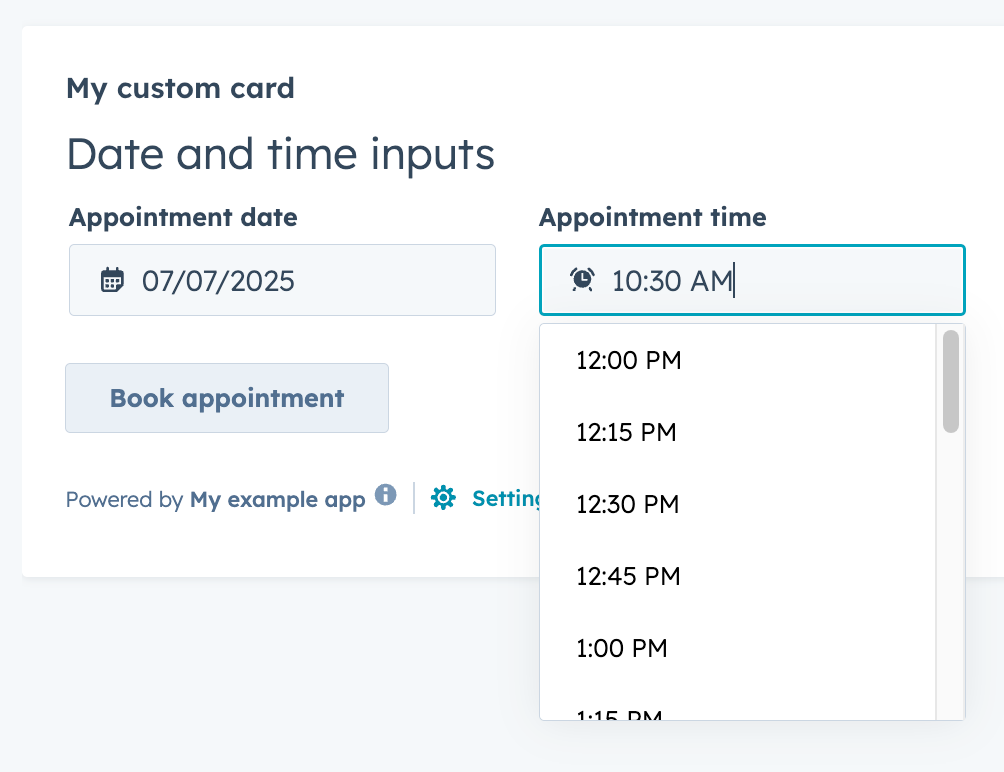
        <Heading>Date and time inputs</Heading>
        <Flex gap="medium" align="start" direction="column">
          <Flex direction="row" justify="start" gap="medium">
            <DateInput
              value={selectedDate}
              label={"Appointment date"}
              name={"appointment-date-selection"}
              min={dateRange.start}
              max={dateRange.end}
              onChange={value => {
                console.log({ value });
                setSelectedDate({ year: value.year, month: value.month, date: value.date });
                setValidAppointmentTimes({ year: value.year, month: value.month, date: value.date });
              }}
              timezone="portalTz"
            />

            <TimeInput
              value={selectedTime}
              label={"Appointment time"}
              name={"appointment-time-selection"}
              min={timeRange.start}
              max={timeRange.end}
              interval={15}
              onChange={value => {
                setSelectedTime(value);
              }}
            />
          </Flex>
          <Button
            onClick={() => {
              console.log({ selectedDate, selectedTime });
            }}
          >
            Book appointment
          </Button>
        </Flex>
      </Form>
    </>
  );
}