> ## Documentation Index
> Fetch the complete documentation index at: https://developers.hubspot.com/docs/llms.txt
> Use this file to discover all available pages before exploring further.
---
id: cbbd59eb-4e25-417b-a982-498675e49b11
---
# App cards overview
> An overview of building cards to customize the HubSpot UI.
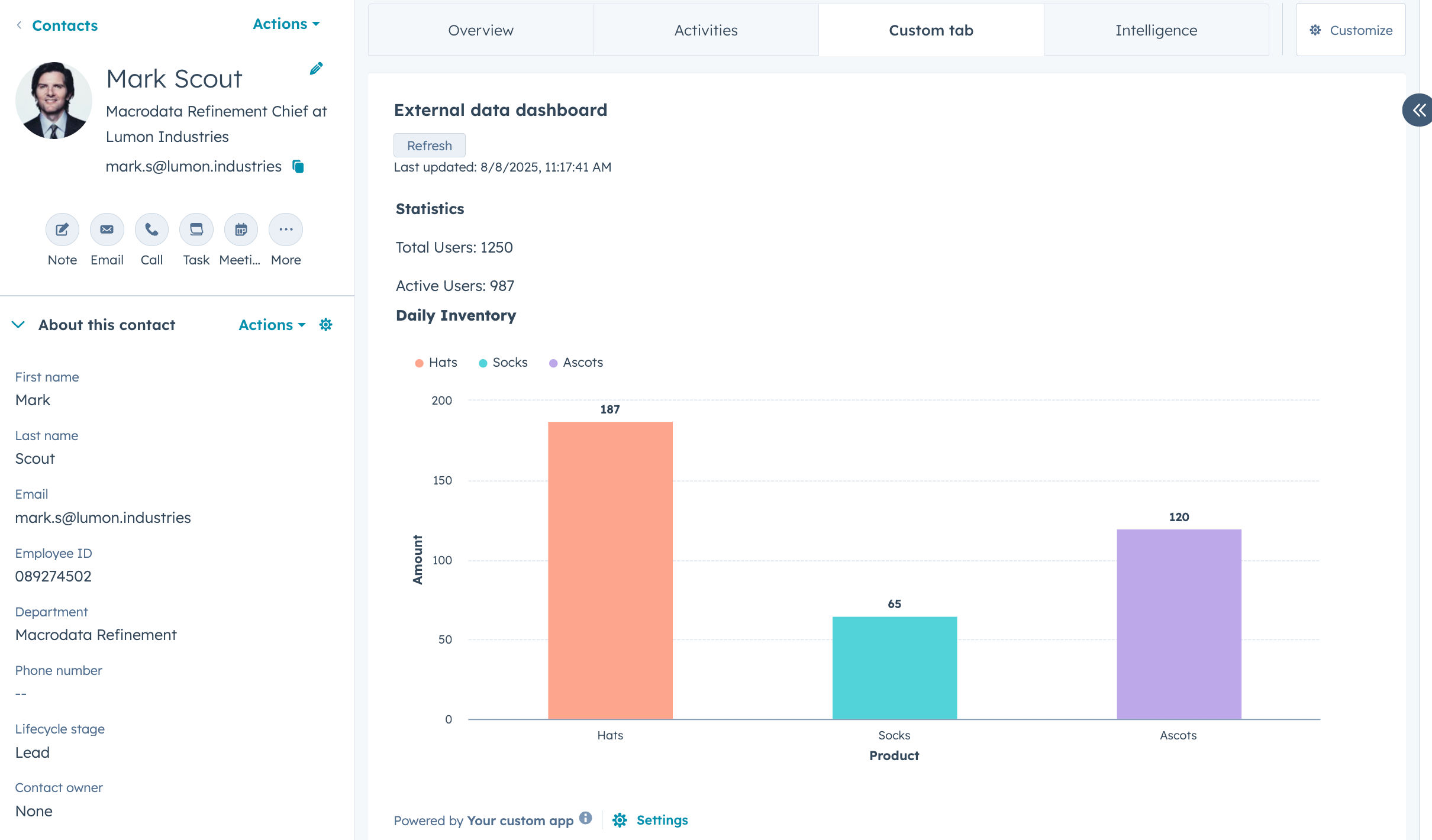
Add a layer of UI customization to your app by including app cards that can display data, allow users to perform actions, and more. You can build app cards that display on CRM records, preview panels, the help desk workspace, and the sales workspace.
Once the app is installed in an account, Super Admins and users with *Customize record page layout* permissions can [add any included app cards](https://knowledge.hubspot.com/integrations/install-and-manage-app-cards) to their configured locations in HubSpot.
## Sensitive Data scopes
Apps that use [Sensitive Data scopes](/api-reference/latest/crm/properties/sensitive-data) can include app cards, but with the following restrictions:
* Apps with Sensitive Data scopes **cannot** use [`hubspot.fetch()`](/apps/developer-platform/add-features/ui-extensions/fetching-data), preventing Sensitive Data from being sent to external services.
* Apps with Sensitive Data scopes **cannot** use serverless functions.
If your app requires both Sensitive Data scopes and `hubspot.fetch()`, you'll need to use separate apps for each capability.
**Please note:** these restrictions are safeguards provided by HubSpot, but they are not a substitute for your own Sensitive Data handling practices. As a developer, you are responsible for ensuring that your app handles Sensitive Data in compliance with applicable laws, regulations, and HubSpot's [Sensitive Data terms](https://legal.hubspot.com/sensitive-data-terms).
To get started building app cards:
* Follow the [quickstart guide](/getting-started/quickstart) to start with a new app, or check out the [app creation guide](/apps/developer-platform/build-apps/create-an-app) to customize the features and configuration of a new app.
* Migrate an existing legacy [private](/apps/developer-platform/build-apps/migrate-an-app/migrate-an-existing-private-app) or [public](/apps/developer-platform/build-apps/migrate-an-app/migrate-an-existing-public-app) app to the developer platform.
* Learn how to [add an app card](/apps/developer-platform/add-features/ui-extensions/extension-points/app-cards/create-an-app-card) to an existing developer platform app.
* Review the [app card reference documentation](/apps/developer-platform/add-features/ui-extensions/extension-points/app-cards/create-an-app-card) for a full breakdown of app card options and features.
If you plan on distributing your app on the HubSpot Marketplace, any app cards you've built are subject to a technical review from the HubSpot Ecosystem Quality team, and must adhere to the requirements listed [here](/apps/developer-platform/list-apps/listing-your-app/app-marketplace-listing-requirements#app-card-requirements).