> ## Documentation Index
> Fetch the complete documentation index at: https://developers.hubspot.com/docs/llms.txt
> Use this file to discover all available pages before exploring further.
---
id: ca37c988-4aff-4b0b-be6b-a19bbf5a2e82
---
# App pages overview
> An overview of building pages to customize the HubSpot UI.
App pages are a newer extension point and provide additional functionality compared to the older [app home page](/apps/developer-platform/add-features/ui-extensions/extension-points/app-home-page) feature. While app home pages are still supported, it's recommended you try out app pages to leverage new components and features such as page routing and passing parameters between pages.
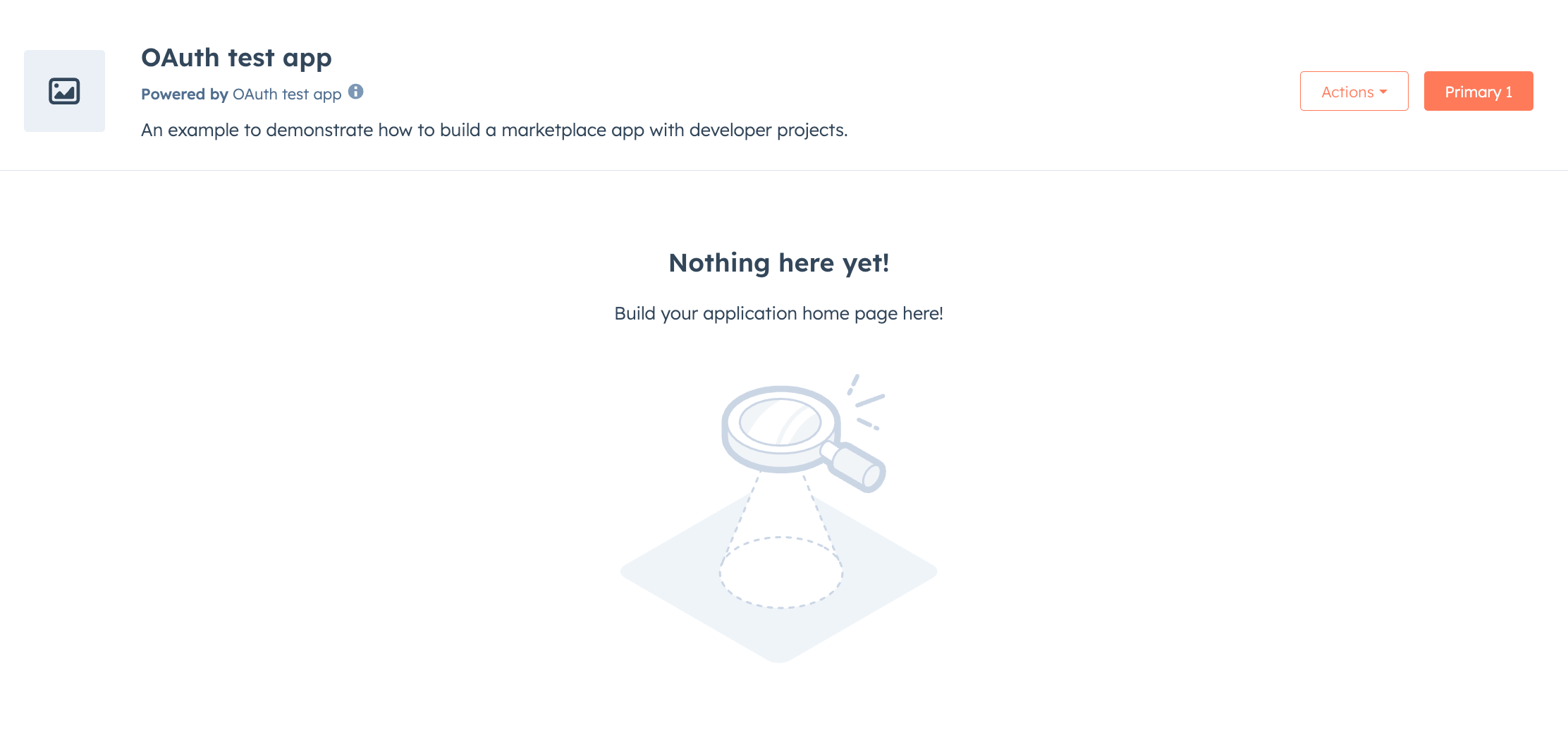
Create custom page experiences for your app in HubSpot with app pages. Built with React and powered by the [UI extensions SDK](/apps/developer-platform/add-features/ui-extensions/ui-extensions-sdk), app pages let you build a main page for your app, providing users with a dedicated space to interact with your app's features. You can also define additional pages for documentation, analytics, support, or any other functionality your app provides.
 ## Key features
* **Main page**: create a custom landing experience for users when they navigate to your app.
* **Multiple pages**: build multiple pages within your app that users can navigate between.
* **Layout components**: wrap groups of routes with shared UI such as navigation bars or sidebars.
* **Page header actions**: add primary and secondary action buttons to the page header.
* **Deep linking**: link directly to specific pages in your app.
* **Wildcard routes**: match hierarchical paths for file browsers or documentation structures.
* **Built with React**: use the same UI components and data fetching utilities available for app cards and settings pages.
## Start building out app pages
* Follow the [quickstart guide](/getting-started/quickstart) to start with a new app, or check out the [app creation guide](/apps/developer-platform/build-apps/create-an-app) to customize the features and configuration of a new app.
* Learn how to [create app pages](/apps/developer-platform/add-features/ui-extensions/extension-points/app-pages/create-app-pages).
* Define [routes for your pages](/apps/developer-platform/add-features/ui-extensions/extension-points/app-pages/page-routing).
* Link between [pages](/apps/developer-platform/add-features/ui-extensions/extension-points/app-pages/page-linking).
* Consult the [app pages reference](/apps/developer-platform/add-features/ui-extensions/extension-points/app-pages/reference).
## Component reference documentation
* [UI components overview](/apps/developer-platform/add-features/ui-extensions/ui-components/overview).
* [PageHeader](/apps/developer-platform/add-features/ui-extensions/ui-components/app-page-components/page-header).
* [PageLink](/apps/developer-platform/add-features/ui-extensions/ui-components/app-page-components/page-link).
* [PageBreadcrumbs](/apps/developer-platform/add-features/ui-extensions/ui-components/app-page-components/page-breadcrumbs).
* [PageTitle](/apps/developer-platform/add-features/ui-extensions/ui-components/app-page-components/page-title).
* [PageRoutes](/apps/developer-platform/add-features/ui-extensions/ui-components/app-page-components/page-routes).
* [Link](/apps/developer-platform/add-features/ui-extensions/ui-components/standard-components/link).
If you plan on distributing your app on the HubSpot App Marketplace, any app pages you've built are subject to a technical review from the HubSpot Ecosystem Quality team.
## Key features
* **Main page**: create a custom landing experience for users when they navigate to your app.
* **Multiple pages**: build multiple pages within your app that users can navigate between.
* **Layout components**: wrap groups of routes with shared UI such as navigation bars or sidebars.
* **Page header actions**: add primary and secondary action buttons to the page header.
* **Deep linking**: link directly to specific pages in your app.
* **Wildcard routes**: match hierarchical paths for file browsers or documentation structures.
* **Built with React**: use the same UI components and data fetching utilities available for app cards and settings pages.
## Start building out app pages
* Follow the [quickstart guide](/getting-started/quickstart) to start with a new app, or check out the [app creation guide](/apps/developer-platform/build-apps/create-an-app) to customize the features and configuration of a new app.
* Learn how to [create app pages](/apps/developer-platform/add-features/ui-extensions/extension-points/app-pages/create-app-pages).
* Define [routes for your pages](/apps/developer-platform/add-features/ui-extensions/extension-points/app-pages/page-routing).
* Link between [pages](/apps/developer-platform/add-features/ui-extensions/extension-points/app-pages/page-linking).
* Consult the [app pages reference](/apps/developer-platform/add-features/ui-extensions/extension-points/app-pages/reference).
## Component reference documentation
* [UI components overview](/apps/developer-platform/add-features/ui-extensions/ui-components/overview).
* [PageHeader](/apps/developer-platform/add-features/ui-extensions/ui-components/app-page-components/page-header).
* [PageLink](/apps/developer-platform/add-features/ui-extensions/ui-components/app-page-components/page-link).
* [PageBreadcrumbs](/apps/developer-platform/add-features/ui-extensions/ui-components/app-page-components/page-breadcrumbs).
* [PageTitle](/apps/developer-platform/add-features/ui-extensions/ui-components/app-page-components/page-title).
* [PageRoutes](/apps/developer-platform/add-features/ui-extensions/ui-components/app-page-components/page-routes).
* [Link](/apps/developer-platform/add-features/ui-extensions/ui-components/standard-components/link).
If you plan on distributing your app on the HubSpot App Marketplace, any app pages you've built are subject to a technical review from the HubSpot Ecosystem Quality team.