> ## Documentation Index
> Fetch the complete documentation index at: https://developers.hubspot.com/docs/llms.txt
> Use this file to discover all available pages before exploring further.
---
id: 1ece462b-7ad6-4cbc-8a17-38adbd679790
---
# CrmActionButton
> Learn about the CrmActionButton component for use in UI extensions.
The `CrmActionButton` component renders a button that can execute a built-in set of [CRM actions](/apps/developer-platform/add-features/ui-extensions/ui-components/crm-action-components/overview#available-actions).
This type of component is useful for enabling your extension to interact with other CRM entities, such as records and engagements. To learn more about how CRM action components work together, check out the [CRM action components overview](/apps/developer-platform/add-features/ui-extensions/ui-components/crm-action-components/overview).
 ```jsx theme={null}
import { CrmActionButton } from "@hubspot/ui-extensions/crm";
Preview deal
;
```
## Props
| Prop | Type | Description |
| --------------- | ---------------------------------------------------------------------------- | ------------------------------------------------------------------------------------------------------------------------------------------------------------------------------------------------------------------------------------------------------------------ |
| `actionContext` | Object | An object containing the CRM object and record context for performing the action. See [list of available actions](/apps/developer-platform/add-features/ui-extensions/ui-components/crm-action-components/overview#available-actions) for required context values. |
| `actionType` | String | The type of action to perform. See [list of available actions](/apps/developer-platform/add-features/ui-extensions/ui-components/crm-action-components/overview#available-actions) for more information. |
| `disabled` | Boolean | When set to `true`, button renders in a disabled, greyed-out state and cannot be clicked. |
| `onClick` | `() => void` | A function that will be invoked when the button is clicked. It receives no arguments and its return value is ignored. |
| `onError` | `(errors: string[]) => void` | An optional callback that will pass any error messages that were generated. Common errors include missing required context values or the user not having sufficient permissions to perform an action. |
| `size` | `'xs'`, `'extra-small'` \| `'sm'`, `'small'` \| `'md'`, `'medium'` (default) | The size of the button. |
| `type` | `'button'` (default) \| `'reset'` \| `'submit'` | The button's HTML `role` attribute. |
| `variant` | `'primary'` \| `'secondary'` (default) \| `'destructive'` | The color variation of the button. |
## Variants
Using the `variant` prop, you can set the color of the button.
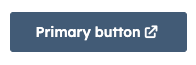
* `'primary'`: a dark blue button for the most frequently used or most important action on an extension. Each extension should only have one primary button.
```jsx theme={null}
import { CrmActionButton } from "@hubspot/ui-extensions/crm";
Preview deal
;
```
## Props
| Prop | Type | Description |
| --------------- | ---------------------------------------------------------------------------- | ------------------------------------------------------------------------------------------------------------------------------------------------------------------------------------------------------------------------------------------------------------------ |
| `actionContext` | Object | An object containing the CRM object and record context for performing the action. See [list of available actions](/apps/developer-platform/add-features/ui-extensions/ui-components/crm-action-components/overview#available-actions) for required context values. |
| `actionType` | String | The type of action to perform. See [list of available actions](/apps/developer-platform/add-features/ui-extensions/ui-components/crm-action-components/overview#available-actions) for more information. |
| `disabled` | Boolean | When set to `true`, button renders in a disabled, greyed-out state and cannot be clicked. |
| `onClick` | `() => void` | A function that will be invoked when the button is clicked. It receives no arguments and its return value is ignored. |
| `onError` | `(errors: string[]) => void` | An optional callback that will pass any error messages that were generated. Common errors include missing required context values or the user not having sufficient permissions to perform an action. |
| `size` | `'xs'`, `'extra-small'` \| `'sm'`, `'small'` \| `'md'`, `'medium'` (default) | The size of the button. |
| `type` | `'button'` (default) \| `'reset'` \| `'submit'` | The button's HTML `role` attribute. |
| `variant` | `'primary'` \| `'secondary'` (default) \| `'destructive'` | The color variation of the button. |
## Variants
Using the `variant` prop, you can set the color of the button.
* `'primary'`: a dark blue button for the most frequently used or most important action on an extension. Each extension should only have one primary button.
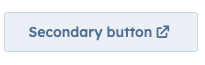
 * `'secondary'`: a grey button to provide alternative or non-primary actions. Each extension should include no more than two secondary buttons.
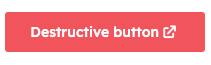
 * `'destructive'`: a red button for actions that delete, disconnect, or perform any action that the user can't undo. Button text should clearly communicate what is being deleted or disconnected. After a destructive button is clicked, the user should have to verify or confirm the action.
 ## Related components
* [CrmActionLink](/apps/developer-platform/add-features/ui-extensions/ui-components/crm-action-components/crm-action-link)
* [CrmCardActions](/apps/developer-platform/add-features/ui-extensions/ui-components/crm-action-components/crm-card-actions)
* [Dropdown](/apps/developer-platform/add-features/ui-extensions/ui-components/standard-components/dropdown)
## Related components
* [CrmActionLink](/apps/developer-platform/add-features/ui-extensions/ui-components/crm-action-components/crm-action-link)
* [CrmCardActions](/apps/developer-platform/add-features/ui-extensions/ui-components/crm-action-components/crm-card-actions)
* [Dropdown](/apps/developer-platform/add-features/ui-extensions/ui-components/standard-components/dropdown)