> ## Documentation Index
> Fetch the complete documentation index at: https://developers.hubspot.com/docs/llms.txt
> Use this file to discover all available pages before exploring further.
---
id: 30a85266-2a92-4057-8a66-c267d25a3aa6
---
# Modal
> Learn about the Modal component for use in UI extensions.
Use the `Modal` component to render a pop-up overlay containing other components. Like the `Panel` component, you'll include the `Modal` component in an `overlay` prop within a [Button](/apps/developer-platform/add-features/ui-extensions/ui-components/standard-components/button), [LoadingButton](/apps/developer-platform/add-features/ui-extensions/ui-components/standard-components/loading-button), [Link](/apps/developer-platform/add-features/ui-extensions/ui-components/standard-components/link), [Tag](/apps/developer-platform/add-features/ui-extensions/ui-components/standard-components/tag), or [Image](/apps/developer-platform/add-features/ui-extensions/ui-components/standard-components/image) component.
To see an example of using overlays, check out [HubSpot's Overlay example project](https://github.com/HubSpot/ui-extensions-examples/tree/main/overlay-example). Note that this is a version `2025.1` project, but the overlay implementation would be similar for projects on version `2025.2` or `2026.03`.
To format the modal, you'll use the following subcomponents:
* `ModalBody` (required): contains the main content of the modal.
* `ModalFooter`: an optional component to format the footer section of the modal.
```jsx theme={null}
import React from "react";
import { Button, Modal, ModalBody, Text, hubspot } from "@hubspot/ui-extensions";
hubspot.extend(() => );
const Extension = () => {
return (
<>
);
};
```
## Props
| Prop | Type | Description |
| ------------ | ---------------------------------------------------------------------- | ------------------------------------------------------------------------------ |
| `aria-label` | String | The modal's accessibility label. |
| `id` | String | The unique identifier for the modal. |
| `onClose` | `() => void` | A function that will be invoked when the modal has finished closing. |
| `onOpen` | `() => void` | A function that will be invoked when the modal has finished opening. |
| `title` | String | The title of the modal, displayed at in the modal's top bar. |
| `variant` | `'default'` (default) \| `'danger'` | The type of modal. See the [variants section](#variants) for more information. |
| `width` | `'small'`, `'sm'` (default) \| `'medium'`, `'md'` \| `'large'`, `'lg'` | The width of the modal. |
## Opening and closing modals
By default, HubSpot handles opening the modal when the user clicks the parent [Button](/apps/developer-platform/add-features/ui-extensions/ui-components/standard-components/button), [LoadingButton](/apps/developer-platform/add-features/ui-extensions/ui-components/standard-components/loading-button), [Link](/apps/developer-platform/add-features/ui-extensions/ui-components/standard-components/link), [Tag](/apps/developer-platform/add-features/ui-extensions/ui-components/standard-components/tag), or [Image](/apps/developer-platform/add-features/ui-extensions/ui-components/standard-components/image) component. A close button will also be included in the top right of the modal.
In addition, you can add a close mechanism to a modal using a `Button`, `LoadingButton`, `Link`, `Tag` or `Image` with an `onClick` event that triggers the `closeOverlay` action. To use this action, you'll need to include the [actions argument](/apps/developer-platform/add-features/ui-extensions/ui-extensions-sdk#registering-the-extension) in `hubspot.extend()` as seen in the example code below.
Learn more about [opening and closing overlays](/apps/developer-platform/add-features/ui-extensions/ui-extensions-sdk#open-overlays).
```jsx theme={null}
import { Button, Modal, ModalBody, ModalFooter, Text, hubspot } from "@hubspot/ui-extensions";
hubspot.extend(({ actions }) => );
const OverlayExampleCard = ({ actions }) => {
return (
<>
);
};
```
**Please note:**
* You can only have one modal open at a time. Opening a modal while another is already open will cause the first one to close.
* A `Modal` can be opened from a `Panel`, but a `Panel` cannot be opened from a `Modal`.
## Variants
Use the `variant` prop to configure the style of modal.
By default, the modal will include a blue colored top bar where the `title` displays.
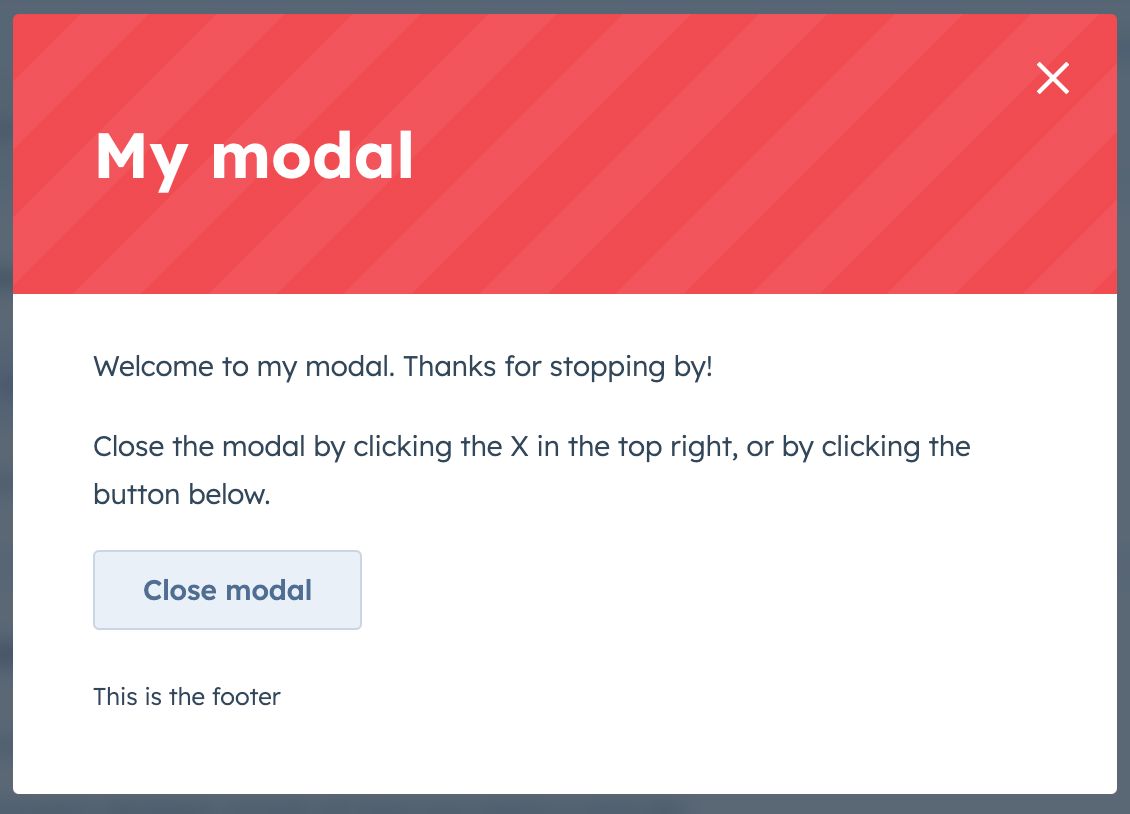
To configure the modal as a warning with a red colored top bar, set `variant` to `'danger'`.
## Usage examples
* Use the default variant to prompt a user to enter a new set of customer details for the current contact record.
* Use the danger variant to confirm when a user wants to delete a deal record.
## Guidelines
**DO:** use this type of overlay for short messages and confirmations. If you want a more lightweight way to communicate a message to the user, check out the [Alert component](/apps/developer-platform/add-features/ui-extensions/ui-components/standard-components/alert).
**DO:** use the danger variant to confirm destructive actions that cannot be undone. The text should clearly communicate what is being deleted, and the confirmation button should be explicit about the action. For example, never use the word "Okay" to confirm the deletion of an item. Instead, use "Delete".
Learn more about [overlays](/apps/developer-platform/add-features/ui-extensions/ui-extensions-sdk#open-overlays), including when to use a `Modal` or a `Panel`.
## Related components
* [Panel](/apps/developer-platform/add-features/ui-extensions/ui-components/standard-components/panel)
* [Button](/apps/developer-platform/add-features/ui-extensions/ui-components/standard-components/button)
* [LoadingButton](/apps/developer-platform/add-features/ui-extensions/ui-components/standard-components/loading-button)
* [Display iframe modals using the UI extensions SDK](/apps/developer-platform/add-features/ui-extensions/ui-extensions-sdk)
.gif) ```jsx theme={null}
import React from "react";
import { Button, Modal, ModalBody, Text, hubspot } from "@hubspot/ui-extensions";
hubspot.extend(() =>
```jsx theme={null}
import React from "react";
import { Button, Modal, ModalBody, Text, hubspot } from "@hubspot/ui-extensions";
hubspot.extend(() => 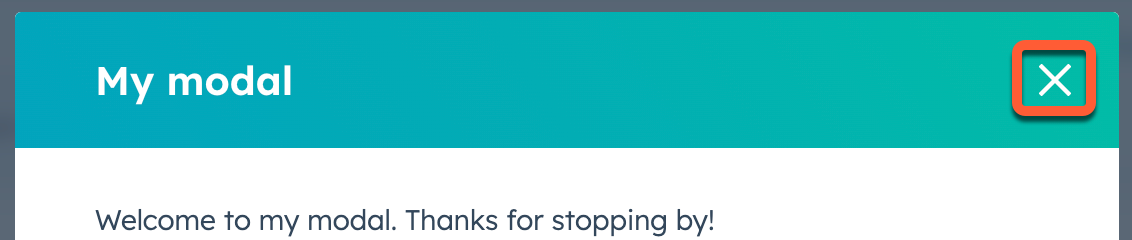 In addition, you can add a close mechanism to a modal using a `Button`, `LoadingButton`, `Link`, `Tag` or `Image` with an `onClick` event that triggers the `closeOverlay` action. To use this action, you'll need to include the [actions argument](/apps/developer-platform/add-features/ui-extensions/ui-extensions-sdk#registering-the-extension) in `hubspot.extend()` as seen in the example code below.
Learn more about [opening and closing overlays](/apps/developer-platform/add-features/ui-extensions/ui-extensions-sdk#open-overlays).
```jsx theme={null}
import { Button, Modal, ModalBody, ModalFooter, Text, hubspot } from "@hubspot/ui-extensions";
hubspot.extend(({ actions }) =>
In addition, you can add a close mechanism to a modal using a `Button`, `LoadingButton`, `Link`, `Tag` or `Image` with an `onClick` event that triggers the `closeOverlay` action. To use this action, you'll need to include the [actions argument](/apps/developer-platform/add-features/ui-extensions/ui-extensions-sdk#registering-the-extension) in `hubspot.extend()` as seen in the example code below.
Learn more about [opening and closing overlays](/apps/developer-platform/add-features/ui-extensions/ui-extensions-sdk#open-overlays).
```jsx theme={null}
import { Button, Modal, ModalBody, ModalFooter, Text, hubspot } from "@hubspot/ui-extensions";
hubspot.extend(({ actions }) => 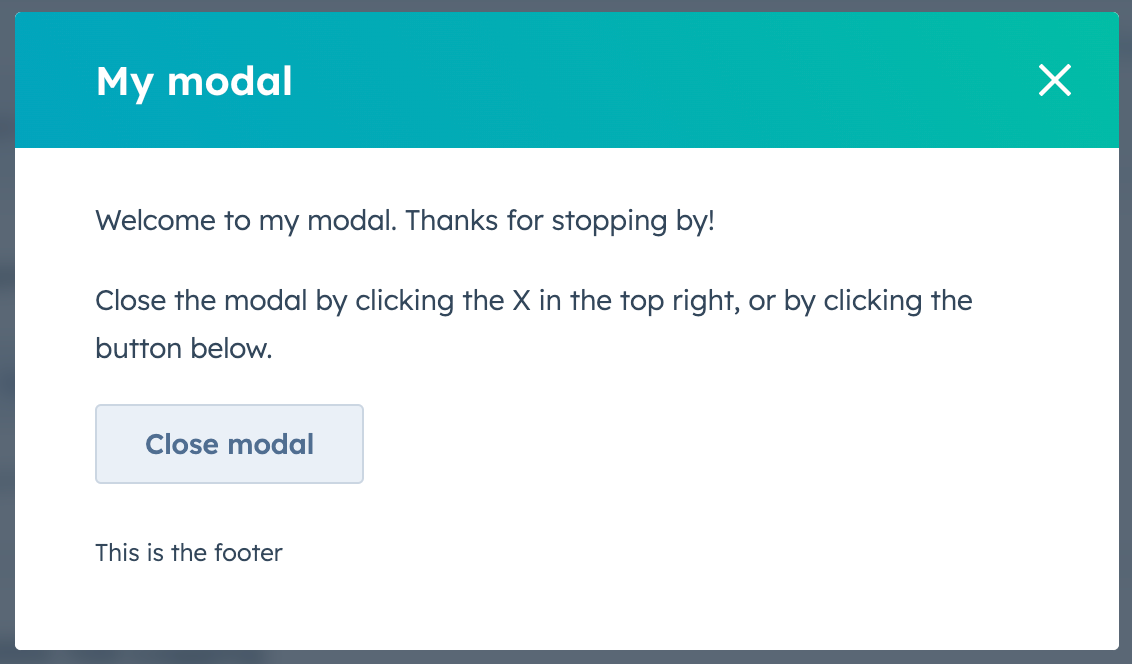 To configure the modal as a warning with a red colored top bar, set `variant` to `'danger'`.
 ## Usage examples
* Use the default variant to prompt a user to enter a new set of customer details for the current contact record.
* Use the danger variant to confirm when a user wants to delete a deal record.
## Guidelines
**DO:** use this type of overlay for short messages and confirmations. If you want a more lightweight way to communicate a message to the user, check out the [Alert component](/apps/developer-platform/add-features/ui-extensions/ui-components/standard-components/alert).
**DO:** use the danger variant to confirm destructive actions that cannot be undone. The text should clearly communicate what is being deleted, and the confirmation button should be explicit about the action. For example, never use the word "Okay" to confirm the deletion of an item. Instead, use "Delete".
Learn more about [overlays](/apps/developer-platform/add-features/ui-extensions/ui-extensions-sdk#open-overlays), including when to use a `Modal` or a `Panel`.
## Related components
* [Panel](/apps/developer-platform/add-features/ui-extensions/ui-components/standard-components/panel)
* [Button](/apps/developer-platform/add-features/ui-extensions/ui-components/standard-components/button)
* [LoadingButton](/apps/developer-platform/add-features/ui-extensions/ui-components/standard-components/loading-button)
* [Display iframe modals using the UI extensions SDK](/apps/developer-platform/add-features/ui-extensions/ui-extensions-sdk)
## Usage examples
* Use the default variant to prompt a user to enter a new set of customer details for the current contact record.
* Use the danger variant to confirm when a user wants to delete a deal record.
## Guidelines
**DO:** use this type of overlay for short messages and confirmations. If you want a more lightweight way to communicate a message to the user, check out the [Alert component](/apps/developer-platform/add-features/ui-extensions/ui-components/standard-components/alert).
**DO:** use the danger variant to confirm destructive actions that cannot be undone. The text should clearly communicate what is being deleted, and the confirmation button should be explicit about the action. For example, never use the word "Okay" to confirm the deletion of an item. Instead, use "Delete".
Learn more about [overlays](/apps/developer-platform/add-features/ui-extensions/ui-extensions-sdk#open-overlays), including when to use a `Modal` or a `Panel`.
## Related components
* [Panel](/apps/developer-platform/add-features/ui-extensions/ui-components/standard-components/panel)
* [Button](/apps/developer-platform/add-features/ui-extensions/ui-components/standard-components/button)
* [LoadingButton](/apps/developer-platform/add-features/ui-extensions/ui-components/standard-components/loading-button)
* [Display iframe modals using the UI extensions SDK](/apps/developer-platform/add-features/ui-extensions/ui-extensions-sdk)