> ## Documentation Index
> Fetch the complete documentation index at: https://developers.hubspot.com/docs/llms.txt
> Use this file to discover all available pages before exploring further.
---
id: 1e322151-3507-4c98-914a-00746c74126a
---
# View contacts created from the Marketplace
> Learn how to access a segment of contacts who have interacted with your HubSpot Marketplace app listings.
When contacts interact with your HubSpot Marketplace listing, they are added to a specific contact segment in the associated developer account. You can then connect with them to see if the app would be a good fit for their needs. The developer account associated with the app must be using HubSpot's free tools.
## Understand requirements
* The developer account associated with the app must be using HubSpot's free tools.
* This feature is only available for accounts building apps on the [latest two versions](/apps/developer-platform/overview) of the developer platform (`2025.2` and `2026.03`).
## Criteria for applicable contacts
Contacts will appear on the segment when they take one of the following actions on your marketplace listing:
* Clicked a video or screenshot.
* Clicked the *View the setup guide* link.
* Clicked the *Company Website* link.
* Clicked the *Install* button.
Only contacts who are logged into HubSpot when they access the marketplace listing will be added to the segment.
## Access marketplace listing contacts
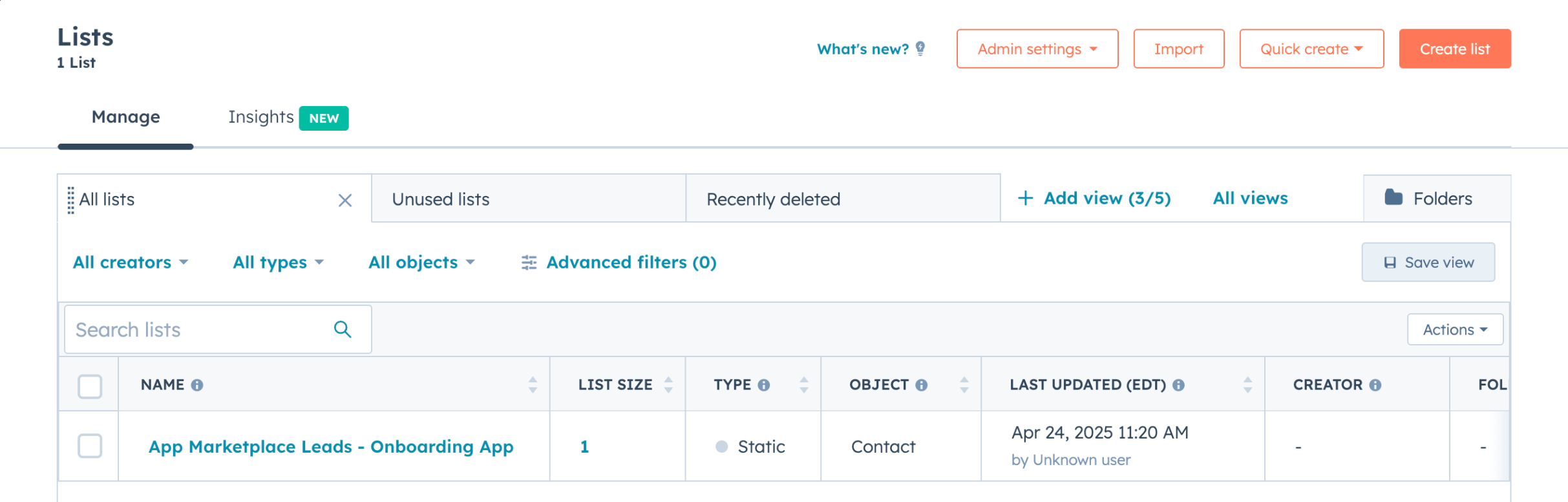
* In the HubSpot developer account associated with your app, navigate to **CRM** > **Segments**.
* Click the **segment** named "App Marketplace - \[App Name]." If you have multiple apps, each app will have a separate segment.
 * The following properties will be populated for each contact:
* First Name
* Last Name
* Company
* Email
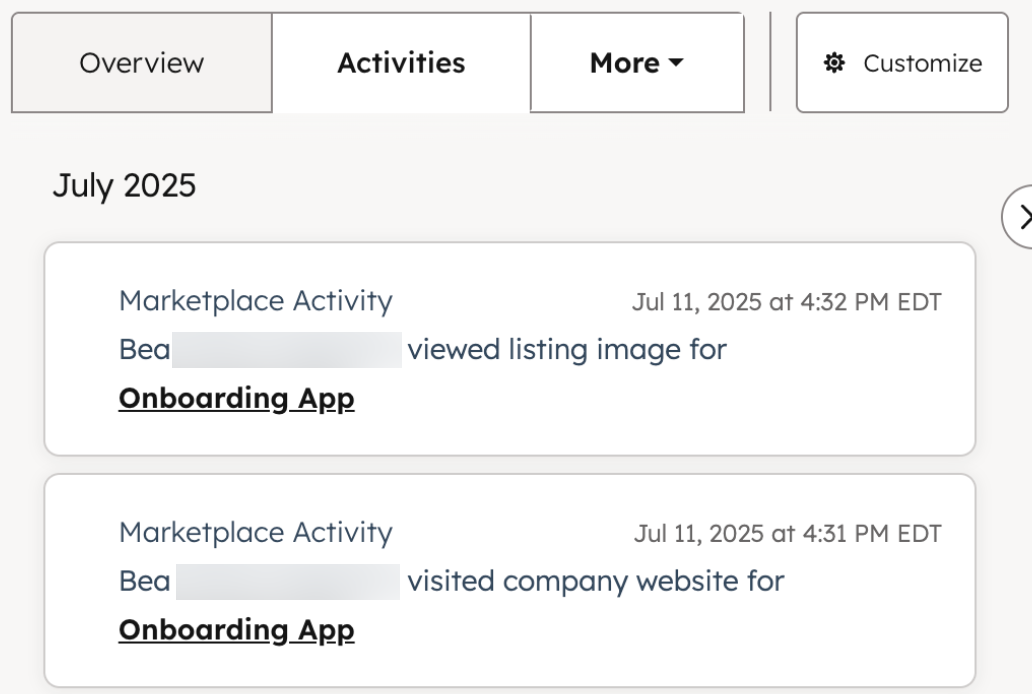
* You can click the **name** of a contact to access its record page, where the corresponding actions they took will be listed on the timeline. Each event will also include the name of the app they were interacting with.
* The following properties will be populated for each contact:
* First Name
* Last Name
* Company
* Email
* You can click the **name** of a contact to access its record page, where the corresponding actions they took will be listed on the timeline. Each event will also include the name of the app they were interacting with.