The Table component renders a table for displaying and organizing data.
Below, learn how to implement buttons in a UI extension. For guidance on table design, check out the Table design patterns.
To format the table, you can use the following subcomponents:
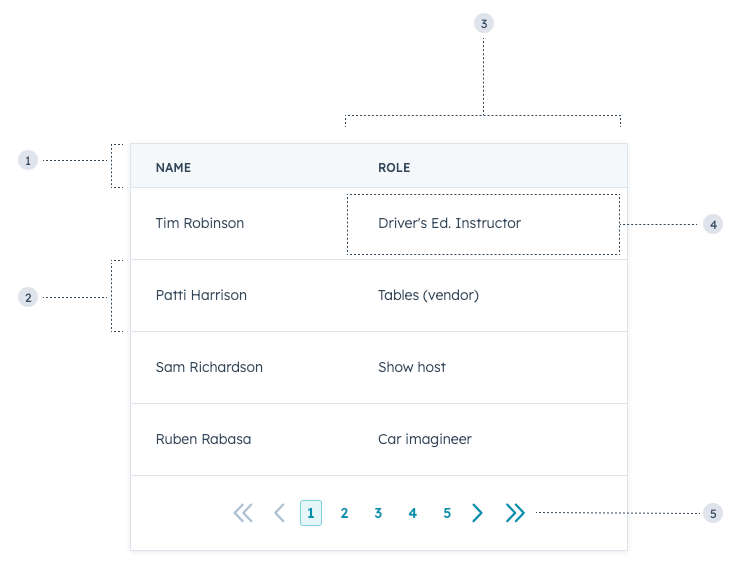
TableHead: the header section of the table containing column labels.TableRow: individual table rows.TableHeader: cells containing bolded column labels.TableBody: container for the main table contents (rows and cells).TableCell: individual cells within the main body.TableFooter: a row at the bottom of the table, typically to summarize the columns.
Props
<Table> props
<TableHeader> props
<TableCell> props
Paginated tables
To include paginated navigation below a table, set the Table prop paginated to true.
You’ll then include the following props to further configure pagination:
Sortable tables
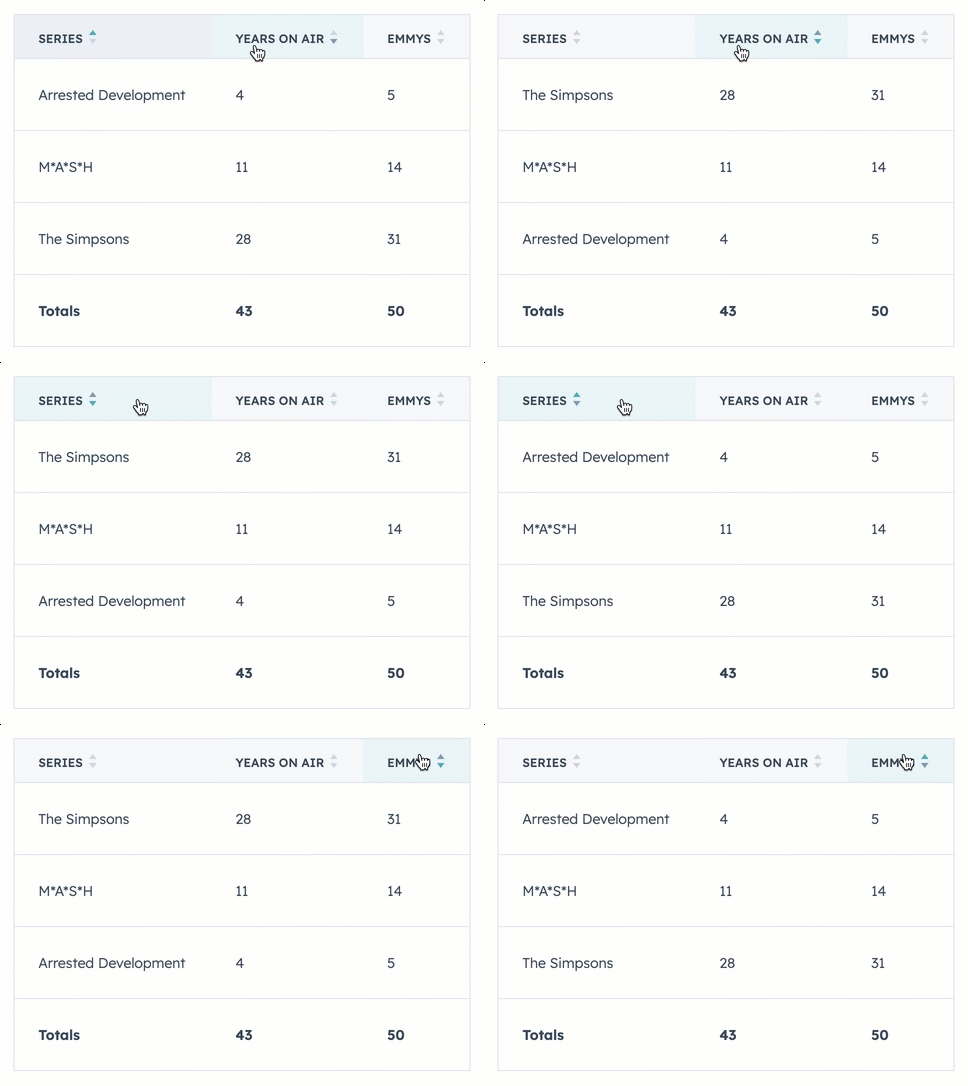
To add sorting functionality to a table, you can include the sortDirection and onSortChange props in the table’s TableHeader components. To enable table data to dynamically reorder based on user input, you’ll need to store your table data in variables rather than hard coding it into table cells. Below is an example of a sortable table with a static table footer.
Usage examples
- A client list containing names, phone numbers, job positions, and email addresses that salespeople can use to prioritize outreach.
- A summary table of the deals closed last quarter.
Guidelines
- DO: keep text within data cells clear and concise for easier scanning.
- DO: always include a table header row to label columns.
- DO: limit the use of links in table cells.
- DON’T: use multiple tables on one screen when possible.
- DON’T: render a blank table if there’s no potential for no data to display, such as with search or filters. Instead, use the EmptyState component when there are no results to display.
Last modified on September 11, 2026