
Scope requirements
Scope requirements
POST request.
All contacts receiving marketing content must be set as marketing. Any marketing emails sent through the single-send API will automatically be associated with contact records based on their email address, and update non-marketing contacts and set them to marketing contacts. If there’s no contact with a matching email address, a new contact record with that email will be created, and the contact will be set as marketing.
Requirements
To use the marketing single send API, the following requirements must be met:- You must have a Marketing Hub Enterprise account.
- The app you’re using to make API requests has been granted the
marketing-emailscope.
Create an email and send it via the single-send API
First, set up your email in HubSpot. After you create the email, you can set the recipient details, including any contact or custom properties set up in the email template, in the body of the API request. Before you can make the API request, you’ll need the ID of the email:- If you leave the email drafted without publishing it, you can get the email ID from the URL when you’re in the email editor. The ID is the final numeric value before the final slash character (
/) in the URL (e.g.,https://app.hubspot.com/email/{PORTAL_ID}/edit/{EMAIL_ID}/settings).

- If you publish your email, you can copy the email ID from the email details page.
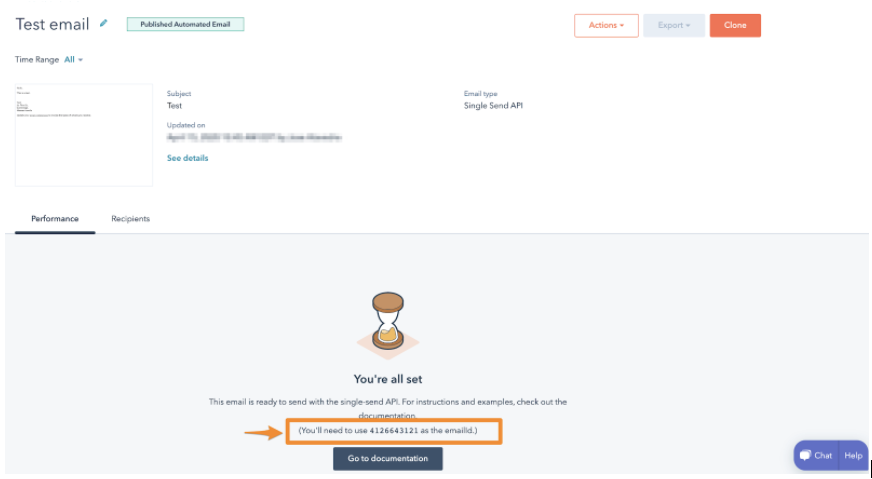
POST request to /marketing/v4/email/single-send.
Request properties
The request body must be a JSON-formatted object with the following properties:message
The message field is a JSON object containing email metadata. The available fields are provided in the table below:contactProperties
ThecontactProperties field is a JSON object of contact property values. Each contact property value contains a name and value. Each property will be set on the contact record and will be visible in the template under:

last_paid_date property, as the sending of the receipt will have information about the last payment.
customProperties
ThecustomProperties field is a JSON object of key-value properties. These properties are generally related to the email itself, not the contact receiving the email. They will not appear in the web page version of the email, or in the view of the email from the contact’s timeline. These properties are also not stored in HubSpot and will only be included in the sent email.
Each key in the customProperties field can be referenced in the template using a HubL expression for fields contained within the custom variable (e.g., {{ custom.NAME_OF_PROPERTY }} ).
For example, if your email template references two properties, purchaseUrl and productName, you could provide the associated values for these properties with the following request body:
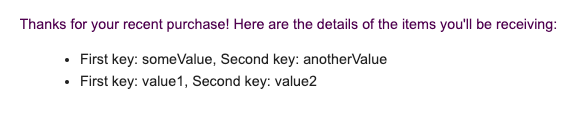
customProperties field only supports arrays when used with programmable email content. In your email template, you can reference the items defined in your customProperties field by using a HubL expression (e.g., using a for loop to render each item in a list). For example, if the customProperties you included in your request body was structured like the following JSON snippet below:
exampleArray with the following HubL code:
Response
The response contains the following fields:Query the status of an email send
To get the status of the email send, make aGET request to https://api.hubapi.com/marketing/v3/email/send-statuses/{statusId}.
The response contains the following fields:
sendResult values
ThesendResult is an enumeration that reflects the result of an email send attempt, either in the initial response or when querying for the status of an email send after your initial request.
Its possible values are: