When developing locally, you may encounter errors or issues that can be difficult to troubleshoot. This section provides methods for troubleshooting local development issues.
Using the HubSpot Developer MCP server
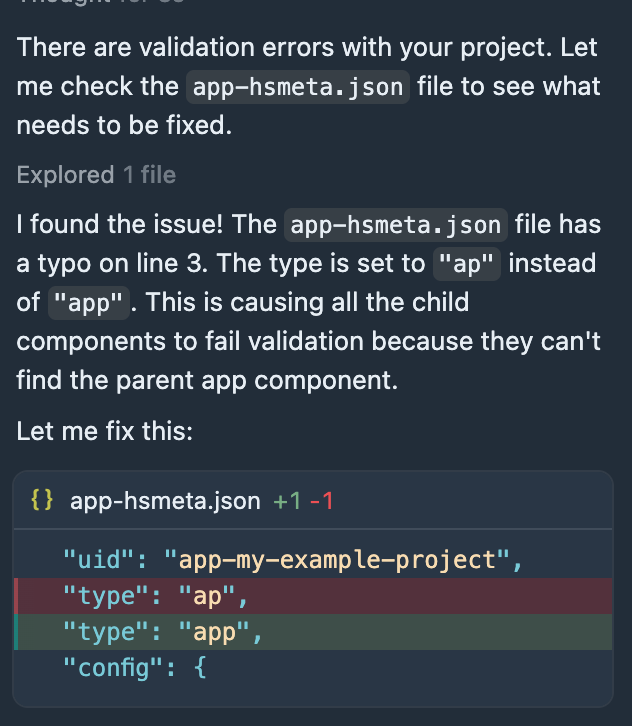
When developing projects locally, you can use the HubSpot Developer MCP server to troubleshoot local development issues. For example, you can prompt your client’s AI assistant to validate your local project files.
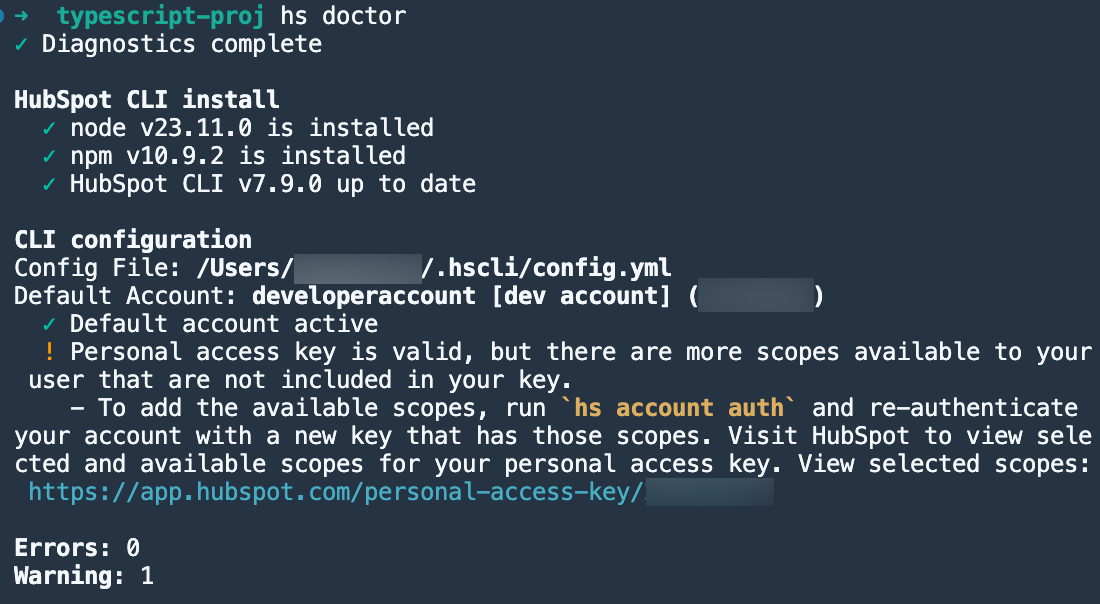
Run hs doctor to retrieve diagnostic information about your local HubSpot configurations. You can include the --output-dir= flag to write the output to a file.
This can be particularly helpful for sharing information with HubSpot support should you need to open a ticket.
The output will provide information about your local HubSpot configuration, including:
- The installed versions of the HubSpot CLI, Node, and npm.
- The location of the HubSpot CLI configuration file.
- The current default account, along with its current active status.
Enable debug logging
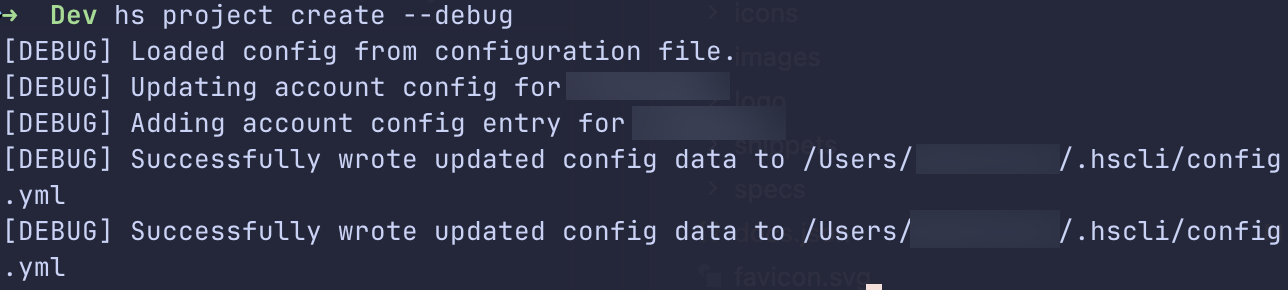
Append the --debug flag to other HubSpot CLI commands to enable debug logging. This will add debugging statements to your terminal output that show information about the CLI’s internal operations. In addition to providing additional context when running into errors, it can also be helpful for sharing with HubSpot support should you need to open a ticket.
Last modified on April 15, 2026