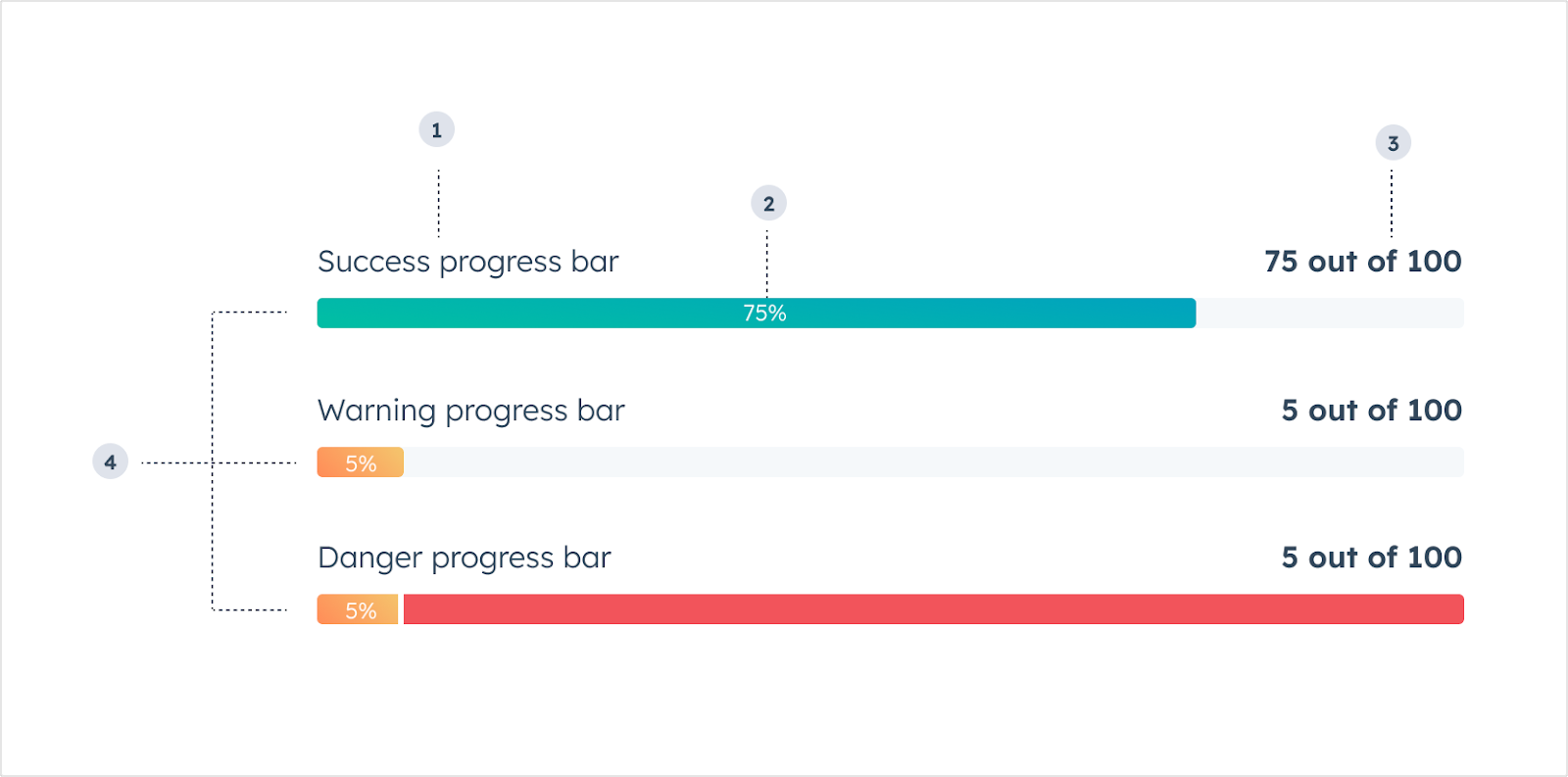
The ProgressBar component renders a visual indicator showing a numeric and/or percentage-based representation of progress. The percentage is calculated based on the maximum possible value specified in the component.
- Title: the text that displays above the bar to describe the data it represents.
- Completion percentage: the percent value of how much progress has been made.
- Value description: the text that describes the current state of the bar’s value.
- Variant: the color of the progress bar.
Props
Variants
Using the variant prop, you can set the following progress bar colors:
'success': a green bar to indicate movement towards a positive goal or outcome.
'warning': a yellow bar to indicate movement towards a negative outcome or limitation.
'danger': a red bar to indicate movement towards an extremely negative outcome or when a limitation has been reached.
Usage examples
- Evaluating the sale of products against a quota or goal.
- Communicating the stage progress of a deal or ticket.
- Monitoring the number of support calls or tickets per customer.
Guidelines
- DO: use the
showPercentage prop to give the user more information about the status of the progress.
- DON’T: use more than 3-4 progress bars in a single card.
Last modified on March 29, 2026